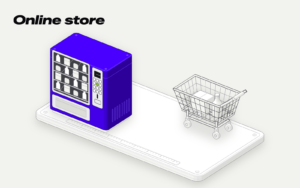
For most stores, a well-built template in Shopify or WooCommerce is enough. A custom online store makes sense when what you sell or how you sell it doesn't fit those platforms: configurable products, different prices by customer, inventory shared with a warehouse or an ERP, or a shopping experience the template doesn't support. We build stores in all three ways, from €3,500 + VAT.
Choosing the wrong platform costs you twice: when you build it and when you have to switch. Here are the three ways to open an online store, what each platform charges, and the signs that tell you which one is right for you.
The three ways to build an online store
- Template on a subscription platform, such as Shopify. Choose a design, adapt it to your brand, upload your catalog, and start selling. The platform handles hosting and updates in exchange for a monthly fee.
- Template on WooCommerce. WooCommerce runs on WordPress and does not charge a platform fee, but it needs hosting and maintenance. You have more control over the store and where it is hosted.
- Custom online store. It is designed and built for your business, using WooCommerce, Shopify, or from scratch, depending on what you need.
All three options let you sell. What changes is how much you can customize, how much you pay each month, and who makes sure everything keeps working.
What each platform charges
Prices published on their websites, checked on October 19, 2026:
| Platform | Platform fee | Payments through another gateway |
|---|---|---|
| Shopify Basic | €24 per month with annual billing, €32 with monthly billing | 2% per sale if you don’t use Shopify Payments |
| WooCommerce | No monthly platform fee | Whatever your payment gateway charges |
You also need to add the paid apps you need to Shopify. With WooCommerce, you need to add hosting, paid plugins, and maintenance. Neither option is free. The difference is where the cost goes and who controls it.
Our work is separate from those fees: the store starts at €3,500 + VAT, while the platform, payment processing fees, and maintenance are paid separately.
When a template is enough
If most of these conditions apply, start with a template:
- You have a small or medium-sized catalog, with simple variants such as size and color.
- You sell to individuals, with one price per product.
- You do not need to connect the store to a warehouse, ERP, or CRM in real time.
- You sell in one or two countries.
- The urgent thing is to start selling and see if the channel works.
In that case, what matters most is launching quickly and learning. A well-configured template, with good photos and clear product pages, sells. You can change it later when your revenue justifies it.
Between Shopify and WooCommerce, the quick rule is: Shopify takes maintenance off your plate in exchange for a subscription; WooCommerce has no platform fee, but someone has to maintain it.
There are nuances. If you already have a WordPress website, adding WooCommerce is usually the shorter path, because everything stays in the same place. If you don't have anyone to handle updates and backups, Shopify takes that work off your plate. And if you sell in a physical store, check how each one connects to your point-of-sale system before deciding.
When a custom online store makes sense
These are the signs that a template won't be enough:
- Configurable products. The customer chooses sizes, materials, or combinations that change the price and lead time.
- Customer-specific pricing. You sell to businesses, and each one has its own pricing, terms, or minimum order.
- Shared inventory. Your physical store, online store, and warehouse all need to deduct from the same inventory in real time.
- Integration with your ERP or CRM. Orders need to flow into your systems automatically, without copying anything.
- Multiple brands, languages, or currencies, with pricing and tax rules by country.
- A shopping experience that's part of your brand, but the template doesn't let you create it.
With one of these, adapting the template may be enough. With several, the patches end up costing more than building it properly from the start. If the problem is connecting to your systems, read CRM integrations; if it's inventory, custom ERP or SaaS.
What makes an online store sell, regardless of the platform
The platform matters less than it seems. A store sells when customers can find the product, understand it, and pay without hesitation. That depends on things all three options can provide:
- Complete product pages: good photos, measurements, materials, and delivery time clearly shown.
- Clear shipping costs before checkout, not at the last step.
- The payment methods your customers already use.
- A store that's fast on mobile, too.
- Product pages that Google can find, with their own titles and descriptions.
- An order dashboard where you can see what's coming in, what's pending, and what's been shipped.
That's what our online store includes, whether it's on Shopify, WooCommerce, or custom-built: catalog, payments, shipping, order dashboard, connection to your warehouse or invoicing system if you have them, and product pages prepared for Google. If the template gives you all of that and what you sell fits within it, you don't need anything else.
What is a headless store?
Headless means that the part customers see is built separately from the system that manages products, orders, and payments, and the two communicate through an API. You can design the store with complete freedom and keep Shopify or WooCommerce behind the scenes.
It makes sense if the shopping experience is highly customized or you sell across several channels at once. For most stores, it's too much: there are two pieces to maintain instead of one. If someone suggests it right away, ask what you gain from it.
Mistakes when choosing a platform
- Building a custom store to see if the product sells. For that, use a template. Go custom once you know it sells.
- Choosing based only on the first month's subscription. Add apps, fees, hosting, and maintenance before comparing.
- Thinking only about today's business. Choose with what you expect to have a year and a half from now in mind.
- Forgetting about maintenance. An outdated store loses sales and can create security problems.
- Underestimating a platform migration. Moving products, customers, and addresses without losing what Google already finds takes work.
If you want us to tell you which one is yours, the online store page explains what's included and how we work. We respond Monday through Friday, from 9:00 to 19:00, in less than 2 hours.
A brick-and-mortar store downtown, sales through Instagram, and inventory tracked in a notebook.
A Shopify or WooCommerce store with sizes, colors, and a size guide for every item. In-store and online sales deduct from the same inventory. Customers request returns from the website, and they’re recorded in the order.
from€3,500
Sources
- Shopify Basic, €32 per month with monthly billing and €24 with annual billing (checked on 19-Oct-2026)
- Shopify, 2% per-sale fee on Basic with an external payment gateway, 19-Oct-2026
- Shopify charges fees if you use external payment gateways, 19-Oct-2026
- WooCommerce doesn’t charge a monthly platform fee, 19-Oct-2026