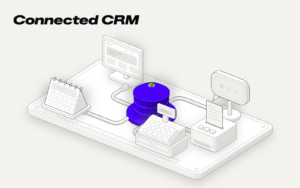
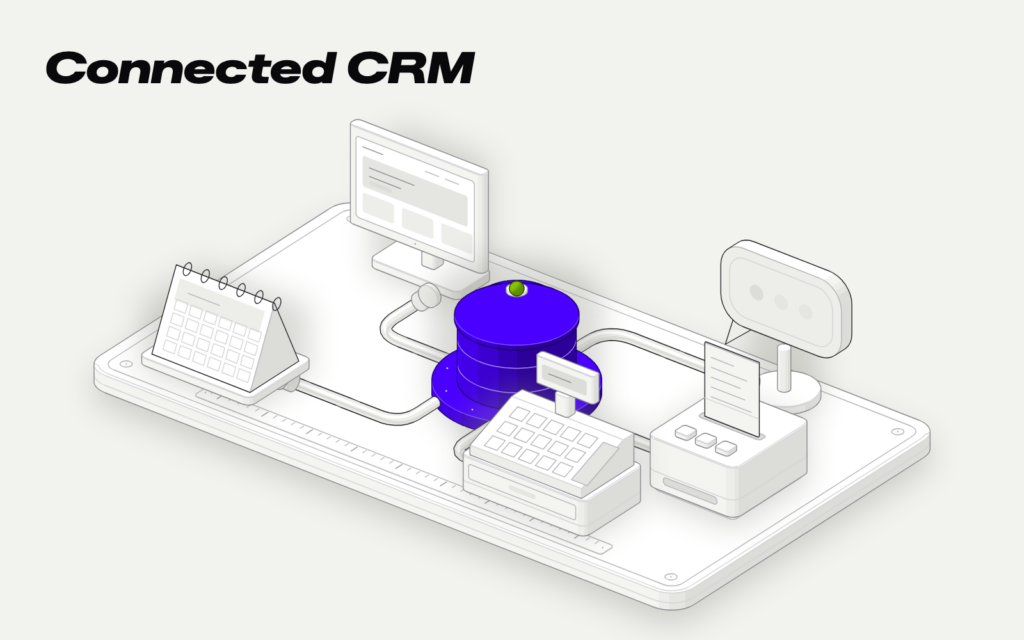
A CRM connects with other software in four ways: through an API, when it requests data as soon as it needs it; through webhooks, when the other software lets it know that something has happened; through ETL, when large amounts of data are moved at regular intervals; and with connectors like Zapier or Make, for simple workflows. Which one to use depends on three things: whether you need the data right away, how much data is being moved, and what happens if something fails.
A CRM that doesn’t communicate with your website, store, phone system, or invoicing software forces you to copy data manually. And as soon as data is copied manually, duplicates, incomplete records, and sales reps calling a customer without knowing they complained yesterday start to appear. Integrations are what prevent that.
The four ways to connect a CRM
API: the CRM asks
An API is a door that one program leaves open so other programs can request data or send commands. Your CRM can ask your invoicing software which invoices a customer still has pending and display them in their record right away.
It’s useful when you need up-to-date data exactly when you look at it. Its limitation: if the other program is down, the CRM can’t ask it.
Webhooks: the other program sends an alert
A webhook is an automatic notification. Instead of the CRM asking every five minutes whether there’s anything new, the other program alerts it as soon as something happens: an order comes in, a call rings, or someone submits a form.
It’s useful for responding right away. Its limitation: if the alert arrives when your CRM can’t receive it and the sender doesn’t retry, it’s lost. That’s why you need to plan for what happens in that case.
ETL: data is moved in batches
ETL stands for extract, transform, and load. It’s a scheduled process that takes data from one system, cleans it up, and puts it into another, for example, every night.
It’s useful when there’s a lot of data, when it needs to be cleaned along the way, or when the other program doesn’t have a modern API. Its limitation: the data arrives late, not instantly.
Connectors: Zapier, Make, and similar tools
These tools connect well-known programs without coding. They work for simple workflows or for testing an idea before building it properly. Zapier, for example, charges by task: its free plan includes 100 per month, and its paid plans increase based on usage.
Their limitation: with high volumes, the cost grows, and when something fails, it’s hard to know what happened. For critical data, such as payments or inventory, we don’t recommend them as a permanent solution.
Which one to use in each case
| What you need | Recommended method |
|---|---|
| See a customer’s invoices in their record right away | API |
| Create the record when someone makes a purchase or submits a form | Webhook |
| Log every call in the customer record | Webhook and API to look up details |
| Send the catalog or order history every night | ETL |
| Notify a team channel when a contact comes in | Connector |
| Sync inventory between the store and the warehouse | API and webhooks, never a standalone connector |
An example: a PrestaShop store and an Aircall phone system
Let’s look at a specific use case. Both tools have ways to connect: PrestaShop has its web services API, and Aircall has a public API with webhooks that notify you about each call event, such as when a call starts or is answered.
The workflow would look like this:
- A customer buys something from the store. The CRM receives the order and creates or updates the customer record.
- Days later, the customer calls. Aircall notifies the CRM, and the sales rep sees who’s calling and what they bought on the screen.
- When the call ends, it’s logged in the customer record, along with its outcome.
No one copies anything, and whoever answers knows who they’re talking to before picking up. The same setup works with other stores and phone systems, as long as they have an API or webhooks.
Connect your website and WhatsApp
If your customers reach you through your website or WhatsApp, these are the first two connections you should make.
With your website, the usual approach is for each form to send its data to the CRM as soon as someone fills it out, including the contact source: which page, campaign, or service they were interested in. If you also have reservations or appointments, the appointment appears in the customer record.
With WhatsApp, the right approach is to use the official WhatsApp Business API. This lets you associate each customer’s messages with their record, and the CRM can send notifications such as an appointment reminder or an order status update.
In both cases, decide in advance what happens when a contact already exists: whether their record is updated or a new one is created. This is a common source of duplicates.
What makes an integration fail
Integrations usually fail for one of these reasons:
- It was left in a “for now” connector and stayed that way for years. As volume increases, it starts to fail without anyone noticing.
- No one monitors it. A broken integration stays invisible until a customer complains. Each one needs a log of what happens and an alert if something fails.
- Errors weren’t considered. What happens if the other program doesn’t respond, if the notification arrives twice, or if it arrives with incomplete data.
- Everything is synced in both directions. If two programs can change the same data, they’ll eventually contradict each other. Normally, one system should be the source of truth and the other should read from it.
- It isn’t documented. When the person who built it leaves, no one knows what it moves or when.
- It was connected before the CRM was clearly defined. If the way data is stored changes later, the connection has to be rebuilt.
Before requesting a quote
With this list, any provider can give you a more accurate price:
- The programs the CRM needs to know: website, online store, phone system, email, invoicing, ERP.
- For each one, what data moves and in which direction.
- How often: instantly, every hour, or every night.
- Who wins if two programs say different things.
- What needs to happen if the connection fails.
Integrations weigh as much as screens when it comes to CRM pricing. If you’re comparing options, this will help Custom CRM vs. Salesforce and HubSpot. If what you want to connect is an online store, also read custom online store or template-based one.
With our custom CRMs, connections to your website, forms, booking systems, WhatsApp, email, and billing are planned from the very first step. You can find what’s included on the Custom CRM.
Contacts come in through the website, technical visits are entered in a separate calendar, and invoices are handled in another program.
The website form creates the customer record in the CRM with the address and usage details provided by the customer. When the technical visit is scheduled, the appointment appears in the technician’s calendar and in the customer record. When the customer accepts the quote, the deposit invoice is created in the invoicing program without copying anything.
from€9,000