n8n is a program that connects your other programs to each other and does only the tasks you repeat by hand today, following steps drawn on screen. It is not artificial intelligence, though it can use AI in one of those steps. You can install it for free on your own server or use it in the n8n cloud, from €20/month with annual billing.
Its name sounds odd, and almost everything written about n8n is aimed at developers. Here it is explained for a business owner, with office examples, what its license says, and when it is a good fit for you.
What n8n does, with an example
Imagine that every time an order comes into your online store, someone copies it into a spreadsheet, sends an email to the warehouse, and messages the customer on WhatsApp. That is three programs and five minutes per order. n8n does those steps on its own, in the order you tell it, every time an order comes in.
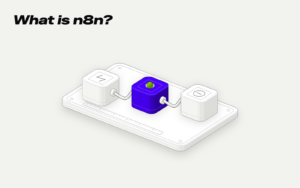
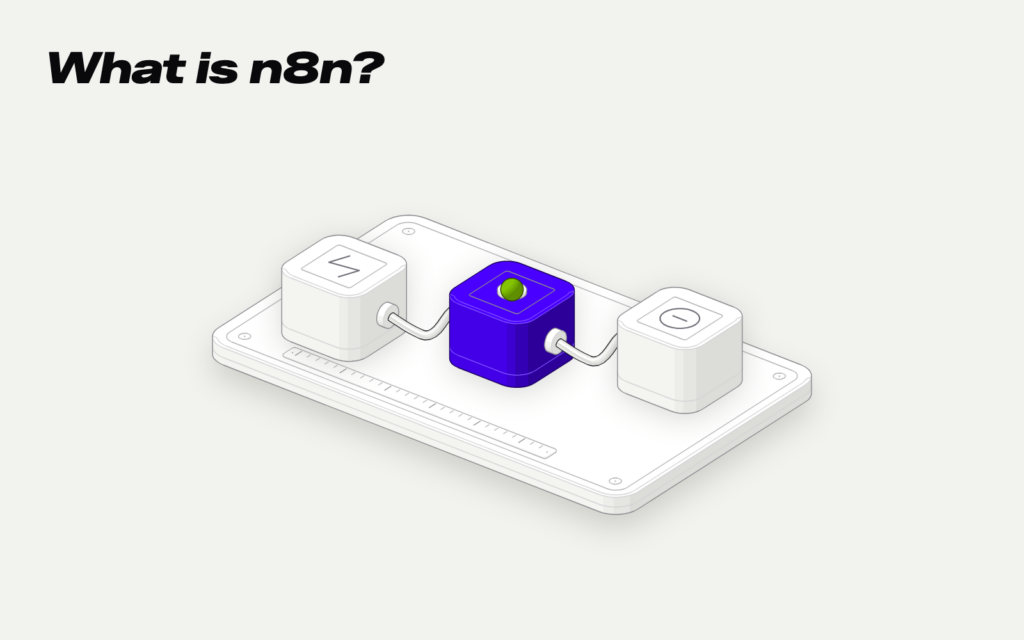
n8n calls that chain of steps a flow, or workflow. Each step is a node, a little box on the screen that does one single thing, like reading an order, writing a row, or sending an email. Nodes are joined with arrows, and the result looks like a diagram of the kind you draw on a whiteboard.
Every workflow starts with a trigger, the node that decides when it starts. It can be a new order, an email that arrives, a form on the website, or a fixed time, like every Monday at 8:00. Then come the steps, and they can take different paths depending on what happens. If the order is over €200, for example, it also notifies the owner.
To get into your programs, n8n stores the login credentials for each one, the ones Gmail or your online store gives you. That way it can read and write in them without anyone having to open them.
It's not AI, but it can use AI
It is easy to confuse it, because n8n itself presents itself on its website as a platform for AI agents. What n8n does by itself is move data from one program to another following rules. That does not require artificial intelligence, and most office tasks are handled that way.
AI comes in when a step needs to understand something that doesn't have a fixed format. Reading a PDF invoice and pulling the amount and the vendor, classifying an email depending on whether it's a complaint or an inquiry, or summarizing a long message. In that case, one of the nodes passes the text to an AI model, collects the response, and the flow continues.
The difference matters because of cost and errors. A step with rules always does the same thing. A step with AI can make mistakes, so the sensible thing is for anything that needs your judgment to come to you so you can review it.
Examples of office tasks that get automated
n8n says it has more than 500 built-in integrations and that it connects to any other program with an API, the door programs use to talk to each other. Its built-in ones include Gmail, Google Sheets, WooCommerce, and WhatsApp Business. Its public library has 13,820 workflow templates to copy and adapt.
These examples fit almost any small business.
| Task | What triggers it | What the flow does |
|---|---|---|
| Moving orders to a spreadsheet | A new order in the store | Writes the row and notifies the warehouse |
| Invoices that arrive by email | An email with a PDF attached | Pulls the data and sends it to accounting |
| Contacts from the website | Someone fills out the form | Creates the record in the CRM and notifies sales |
| Appointment reminders | Every morning at 9:00 | Sends a message to appointments for the next day |
| Weekly report | Mondays at 8:00 | Gathers sales and sends you a summary |
Notice that none of these tasks is difficult. They get automated because they repeat, and every time someone does them by hand, they can make a mistake or forget.
An accounting firm that receives a hundred invoices a month by email, a store with twenty orders a day, or a clinic that confirms appointments by phone all have the same problem in different forms. In all three cases, the task takes hours of someone's time and doesn't need their judgment.
Free or paid, and what its license says
n8n can be used in two ways. The Community edition is installed on your own server and is free, with almost all features. The other is the n8n cloud, where they take care of the server and maintenance, and you pay monthly based on how many times the workflows run.
In the cloud, the cheapest plan costs €20/month with annual billing and includes 2,500 executions. Each execution is one time a workflow starts and reaches the end, no matter how many steps it has. There is a free trial for 14 days, and n8n does not say on its page whether the price includes VAT. Cloud data is stored on servers in Frankfurt, in the European Union.
There is a catch to the free part: n8n is not free software in the usual sense. It uses its own license, the Sustainable Use License, which the company calls fair-code, and it does not present itself as open source. It lets you use and modify it for free for your company's internal processes, but not to offer it to your clients as if it were your own service.
For a small business automating its own tasks, that changes nothing. The license also allows someone outside your company to set up the workflows for you and charge you for it. If what you want is to put n8n inside a product you sell, then you do need a commercial agreement with them.
When it works for you and when it doesn't
n8n is a good fit if you have tasks that repeat every day or every week and go through two or more programs. Also if you want the data to stay on your own server, because you can install it wherever you want.
It has its drawbacks. With the free version, you have to install it, keep it up to date, and watch that it does not go down, and n8n's own documentation says that this requires technical knowledge. If no one in your company knows what a server is, you either go with the paid cloud or have someone set it up for you.
And not everything warrants a flow. If a task happens once a month and takes you ten minutes, automating it costs more than it saves. Start with the one that takes the most hours from someone on your team each week.
Before deciding, write down three facts about that task. How many times it happens a month, how long it takes each time, and which programs it goes through. With that, anyone can tell you whether it's worth it and how much it would cost.
With us, an automation starts at €2,500 + VAT, with a fixed price before we start and alerts if something fails. In AI automation you can see how we work and which tasks we usually remove first, and in pricing, everything else. We reply Monday to Friday, from 9:00 to 19:00, in less than 2 hours.
Each order is copied by hand into a sheet, and the warehouse finds out late about what it has to prepare.
When an order comes in, the workflow notes it down on the warehouse sheet. It lets the customer know their order is being prepared. If a product falls below the minimum stock level, it sends a notice to purchasing.
from€2,500
Sources
- n8n: a workflow is a set of nodes that automates a process (accessed 3 Nov 2026)
- n8n: nodes are the pieces a workflow is made of (3 Nov 2026)
- n8n: the trigger starts the workflow when a condition is met (3-Nov-2026)
- n8n stores the access keys for each app (3-Nov-2026)
- n8n: over 500 built-in integrations and any API over HTTP (3-Nov-2026)
- n8n is presented as a platform for agents and workflows (3-Nov-2026)
- n8n can be installed in your own environment (3-Nov-2026)
- n8n has a Gmail integration (3-Nov-2026)
- n8n has a Google Sheets integration (3-Nov-2026)
- n8n has a WooCommerce integration (3-Nov-2026)
- n8n has a WhatsApp Business integration (3-Nov-2026)
- n8n: 13,820 workflow templates in its library (3-Nov-2026)
- n8n: the self-hosted Community edition is free and has almost all the features (3-Nov-2026)
- n8n Cloud: no installation or maintenance on your side (3-Nov-2026)
- n8n: pricing is based on workflow executions per month (3-Nov-2026)
- n8n Cloud Starter: €20/month with annual billing and 2,500 executions; the page does not say if VAT is included (3-Nov-2026)
- n8n: an execution is one full run of the workflow (3-Nov-2026)
- n8n Cloud: free trial for 14 days (3-Nov-2026)
- n8n Cloud stores data in Frankfurt, in the EU (3-Nov-2026)
- n8n: the Sustainable Use License is a fair-code license created by n8n (3-Nov-2026)
- n8n is not presented as open source (3-Nov-2026)
- n8n: free use only for internal company purposes or non-commercial purposes (3-Nov-2026)
- n8n: you cannot offer it to your clients so they can connect their accounts and create workflows (3-Nov-2026)
- n8n: you can charge for building n8n workflows for others (3-Nov-2026)
- n8n: uses that are not allowed require a commercial agreement (3-Nov-2026)
- n8n self-hosted: installing and configuring it requires technical knowledge (3-Nov-2026)